📄
PDF to Flipbook
Import a PDF and turn its pages into a responsive digital flipbook with navigation, zoom and multiple presentation modes.
Build digital catalogs, brochures, magazines and presentations directly in your browser. Import a PDF or start with a blank canvas, then add links, images, video, text, buttons and your own branding.
FLIPBOOKPRO Studio combines PDF conversion, page design, interactivity and portable export in a single browser-based workspace.
Import a PDF and turn its pages into a responsive digital flipbook with navigation, zoom and multiple presentation modes.
Start with blank pages and design a publication using text, images, shapes, buttons, backgrounds and video.
Add web links, internal page links, clickable images, calls to action and embedded online video.
Compare classic page flip, slider, slide or Coverflow in Studio. The current HTML/ZIP exporter and online publishing use the classic page-flip viewer.
Download a self-contained HTML flipbook or a ready-to-upload ZIP package for your own website or hosting.
PRO users can apply a custom logo and background and remove FLIPBOOKPRO branding from exported publications.
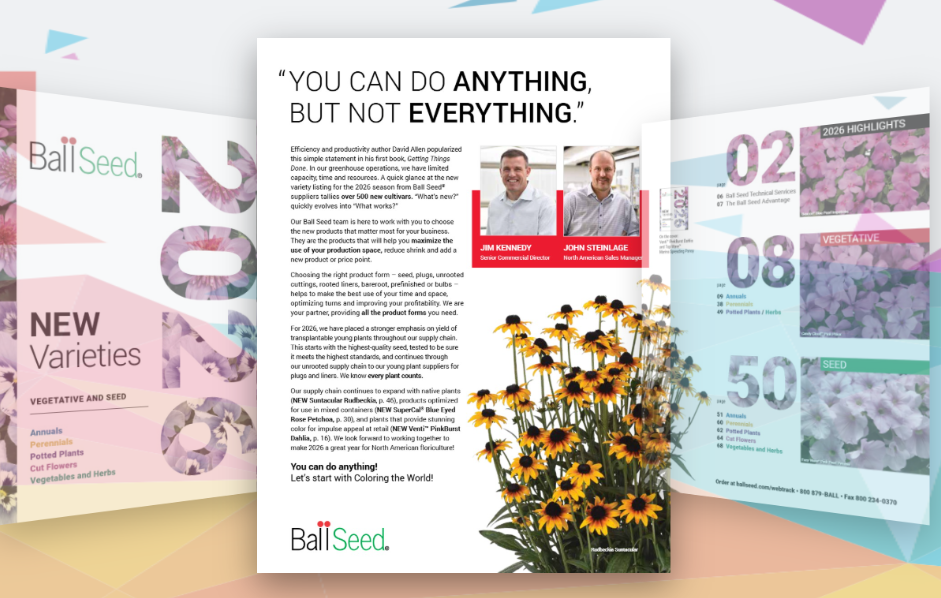
Browse the Ball Seed “New Varieties 2026” catalog and try the page-turning and zoom controls. View the example
Prepare your document, give readers useful next steps and check the final result on your website.
Choose rendering quality before import, draw external and internal links, and test them in the reader preview.
Build six pages: cover, contents, three matching product sheets and contacts. Link the contents entries to the actual page numbers.
Build a cover, two product pages and a contact page, using editable elements and page duplication directly in Studio.
Keep index.html, pages and lib together, verify the hosted result and then insert its real URL into an iframe.
Use the right file for editing, hosting and customer sharing; keep the source PDF separately for print or download.
Work from the symptom to a specific Studio command and check the result in the correct preview.
Build a single square page with a shop name, product photo, price, offer dates and a button leading to the product.
Use the actual Add Content and Interactive content controls, including resizing, replacement, layering and reader testing.
Choose rendering quality, manage your pages and update an online edition with confidence.
Apply the controls to the right part of the publication, without confusing viewer backgrounds with page colors.
What each Pages command copies, inserts or removes, and how to resume work from a .pdfinflip file.
Create the public viewer link, retain your Account ID and replace the same edition from the correct open project.
FLIPBOOKPRO Studio is designed so PDF parsing and page rendering can happen client-side. The web server delivers the application while your browser performs the document processing. Choosing Publish Online is a separate step that transfers the publication content for hosting.
No. The Studio can process PDFs directly in your browser, so the document does not need to be uploaded to the FLIPBOOKPRO server.
Yes. Choose Create from Scratch to build pages with text, images, shapes, buttons, video and other interactive content.
You can create digital catalogs, company brochures, magazines, portfolios, menus, presentations, newsletters and other interactive publications.
Yes. Export the publication as HTML or as a ZIP website package and upload it to your own web hosting.
Import a PDF or start from a blank canvas. Add interactive content and export the finished publication directly from your browser.
Open FLIPBOOKPRO Studio →FREE exports include up to 20 pages, FLIPBOOKPRO branding and a watermark, with one online publication up to 20 MB. PRO removes the plan page cap and unlocks custom branding and link-area interactions; CLOUD also increases the online publication allowance to five. See the feature comparison for details.
Articles on catalogs, menus, formats, images, accessibility and updates. Practical examples and workflows for preparing and distributing content, alongside the Studio guides.
Explore all articles