In this article
A catalog that takes too long to appear may lose its reader before showing any products. Reducing its size does not mean lowering every quality setting indiscriminately. First identify where the problem occurs: in the source document, imported images, loading behavior or the page containing the viewer. These are separate stages and need separate checks.
Imagine a twenty-four-page catalog with full-page photographs and small technical specifications. You want a lighter publication while keeping product codes and measurements readable. The following approach uses controlled comparisons rather than promising the same loading time on every device and connection.
Take an inventory before compressing
Record the source PDF’s size, page count and intended output format. If the export contains separate files, identify the largest images. You do not need to inspect every byte. A few oversized photographs, a large background or an unsuitable logo may account for a disproportionate share of the total.
Record the test conditions too. Opening a file from disk does not test delivery over a network. A first visit and a later visit may behave differently because of caching. Compare versions on the same device and page so you do not mistake a connection change for an improvement caused by your design choices.
Resize photographs for their intended use
A thumbnail does not necessarily need the original camera resolution. Prepare a copy appropriate to the area it occupies and the expected zoom level. Store the original separately. Working with copies lets you recover detail if a particular reduction proves too aggressive.
Complete the crop before resizing. This avoids carrying image areas that readers will never see. Compare a product edge, a texture and a smooth area, because compression artifacts may appear differently in each. A picture that looks sharp at a reduced size may still fail when someone enlarges an important label.
Remove resources that do not help readers
Not every photograph deserves the same space. Three nearly identical pictures may contribute less than one main image and a useful detail. In the twenty-four-page example, you might retain one overview for each product family and add close-ups only where they explain a meaningful difference.
Apply the same judgment to decorations, backgrounds and video. An external video can avoid embedding a large local file, but it still depends on the network and provider. Total megabytes are not the only consideration. A publication containing fewer unnecessary resources is often easier to understand and maintain as well.
Protect essential information
Before approving a lighter version, inspect small text, prices and product codes. Compression that keeps photographs attractive while making a digit ambiguous has missed the objective. If one page is too dense, redesigning it may be more effective than raising the quality of the entire document to preserve a single line.
Distinguish total size from initial loading
An HTML file containing images and code puts many resources into one document. A website package may store those resources separately and support different loading strategies. The actual behavior depends on the viewer. Some display an initial page before loading everything; others handle subsequent pages differently.
A ZIP file is a transfer container. When used as a website package, it normally needs to be extracted and uploaded with its intended structure. A smaller ZIP does not necessarily mean a proportionate reduction in the data the browser receives. Test the public address and visit an internal page rather than checking only the cover.
Change one variable and keep a comparison
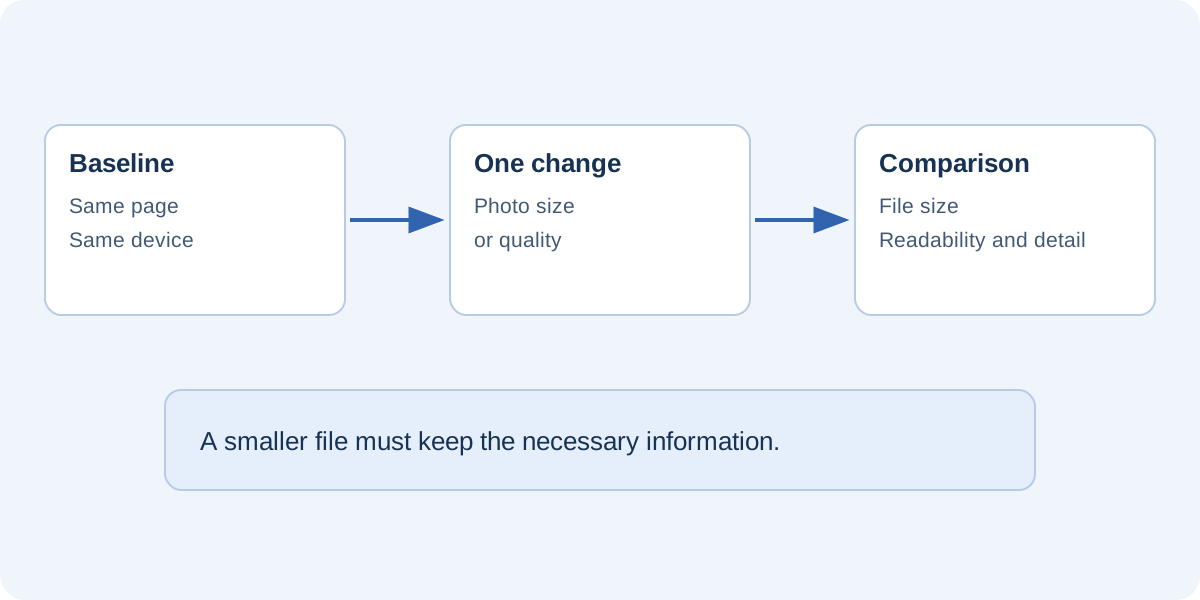
Prepare a reference version and one candidate. Reduce a photograph or adjust one quality setting, then decide whether the result meets your needs. Changing every parameter simultaneously can create a smaller file without revealing which choice damaged readability.
A useful record contains the filename, size, change and observed defects. For example: “Version B: smaller photographs, readable labels, insufficient fabric detail.” That is more useful than “B looks better” because it identifies the remaining problem. Browser measurements can supplement the comparison, but cannot replace reading the actual information.
Check the page hosting the catalog
An embedded viewer is only one part of its surrounding page. A large hero image, several external players or unnecessary scripts can add independent requests. Compare the direct catalog address with the page containing it to understand whether the surrounding site contributes to the delay.
Avoid embedding the same publication several times on one page. Provide a description and a direct link instead. On a long page, deferred loading may be useful when the viewer sits below the initial content, but confirm that it works in the real site rather than assuming every implementation behaves identically.
Define practical acceptance criteria
Instead of choosing a universal maximum size, state what must remain true: the cover opens without errors, key information is readable during normal use, all pages are present and internal navigation works. Compare the result with your hosting service’s actual limits. If the required quality exceeds them, consider a shorter publication or a suitable hosting arrangement.
FLIPBOOKPRO lets you choose quality before import and compare the available outputs. Start with the PDF guide and keep the editable project before replacing the source document. The objective is a publication light enough for its intended audience and detailed enough to support a decision, rather than the smallest possible file at any cost.
Further documentation
Found an error or an unclear passage? Contact FLIPBOOKPRO, and include the article address and the passage concerned.