In this article
Choosing between PDF and HTML does not mean choosing between an outdated format and a universally better replacement. They serve different purposes. A PDF preserves a document and its layout; a web publication is delivered through an address and displayed in a browser. A flipbook can use web technology while still displaying images of fixed pages. The page-turning effect alone does not make the text accessible, searchable or responsive.
Imagine a twelve-page company brochure covering the business, its services and contact information. The useful question is what readers need to do: explore it, keep a copy, print it, follow links or use assistive technology. Your distribution plan may legitimately include both formats.
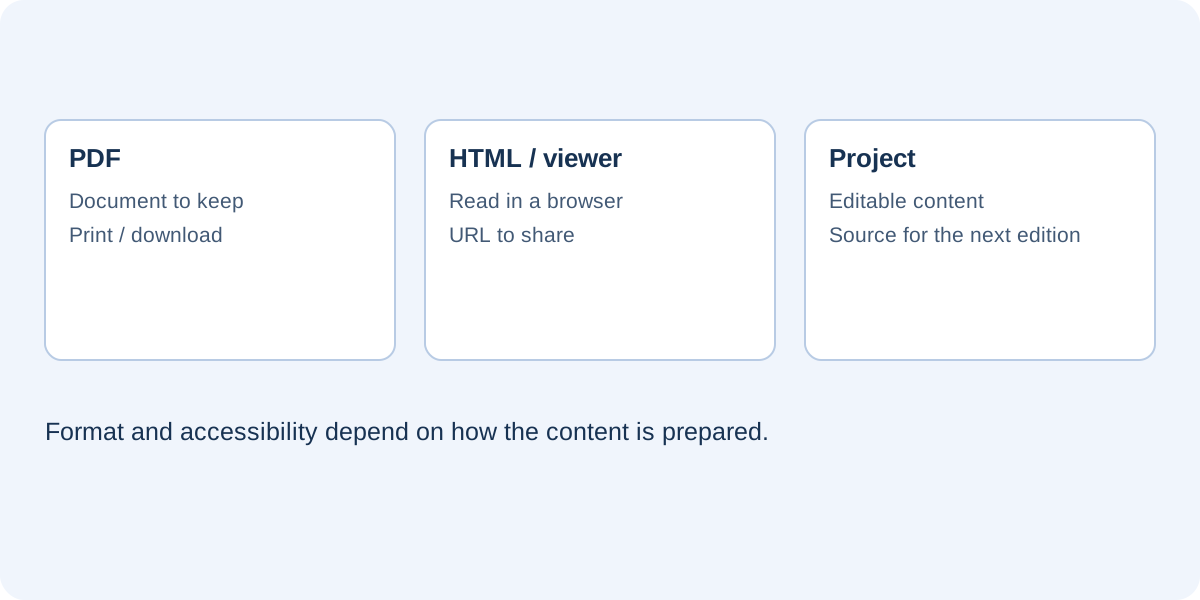
What a PDF preserves
PDF is useful when you want to distribute a recognizable document with a consistent composition. It can contain selectable text, links, bookmarks and semantic structure when those features are properly prepared. A scanned PDF may instead contain only images. Do not assume every PDF offers the same capabilities simply because the filename ends with the same extension.
For a downloadable specification or a brochure a customer wants to archive, a PDF may be a good choice. Check its size, readability and edition before sending it. Once someone downloads a copy or receives it as an attachment, replacing the file on your website does not update the copy they already hold.
What web distribution adds
A public address lets you share a publication without attaching the complete document to every message. If you retain the address while replacing its content, subsequent visits can reach the updated edition, subject to caching. You can also place the publication within a page containing an introduction, contact details, alternative reading formats and relevant links.
HTML supports semantic structure and adaptable interfaces, but those qualities depend on implementation. A viewer displaying rasterized pages does not automatically recreate the document’s headings, paragraphs and tables as HTML text. “HTML5” describes a technological environment; it is not a certificate of editorial quality, performance or accessibility.
Where flipbooks fit
A flipbook emphasizes a visual reading sequence. It may suit a photographic catalog or a portfolio with carefully composed pages. A long reference guide might work better as a regular web article with clear headings and links. Consider the task you are asking readers to perform: browsing for inspiration differs from finding one precise answer quickly.
Check interactivity and connection requirements
Web publications can include buttons and video, but distinguish embedded resources from externally hosted content. A self-contained HTML file may include the viewer’s images and code. A YouTube video remains an external service requiring a connection and availability from its provider. Links to product pages likewise depend on those destinations being reachable.
Do not describe “one file” as meaning “everything works offline.” For a brochure used at an event, identify which information must remain available without a network. Include essential details in the document itself, then test the intended device to establish which functions continue working when the connection is unavailable.
Readability, search and accessibility are separate checks
When a page becomes an image, its lettering does not automatically become text a screen reader can interpret. A page may look sharp while offering no navigable text structure. Similarly, PDF accessibility depends on how the document is prepared. Evaluate the quality of the actual document rather than treating either format as an automatic solution.
For the company brochure, you might provide an HTML summary of the services and a carefully prepared PDF alongside the flipbook. An alternative should contain equivalent important information, not merely a promotional sentence. The accessibility article describes initial checks and explains why those checks are not a certification.
Consider file size and maintenance
Final size depends on photographs, page count, quality and additional resources, not just the extension. Converting a large PDF into HTML containing all its page images may produce an equally demanding file. A website package with separate resources may load differently, but its directory structure must remain intact on the server.
Maintenance also differs. Downloadable PDFs require careful linking to avoid several apparently current versions. Hosted publications require management of URLs, files and updates. In both cases, keep the editable source and use meaningful edition names. “services-brochure-2026-10” is more informative than a series of files named “final” and “final-new.”
Choose according to the reader’s task
List three real activities and choose the simplest route for each. Readers might explore projects in the flipbook, read service descriptions on an HTML page and download technical specifications as PDF. You do not necessarily need three complete copies of every item. A coordinated set of resources may be enough, provided essential information is not trapped in the least usable interface.
Before publishing, confirm that:
- Readers can distinguish online viewing from downloading a file.
- Shared links open the correct edition.
- External content works in the final publication.
- An appropriate alternative exists for people who cannot comfortably use the viewer.
In FLIPBOOKPRO, the editable project and reader output serve different purposes. The output comparison explains the commands. The broader principle is to select the format that makes the audience’s actual task easier, while keeping the source material available for future revisions.
Further documentation
Found an error or an unclear passage? Contact FLIPBOOKPRO, and include the article address and the passage concerned.